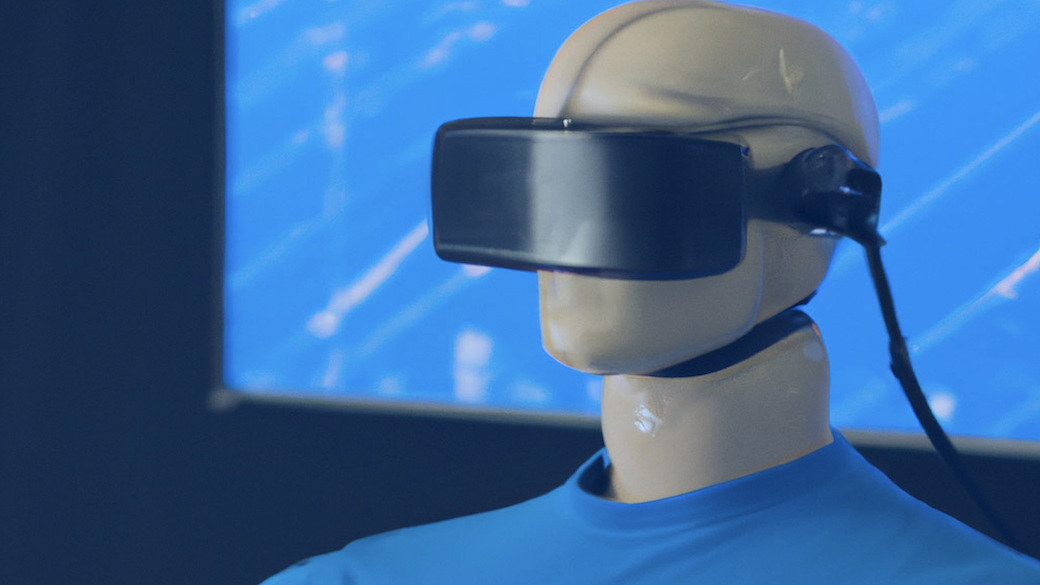
VR Test Video: Test Demo Dummy for 360 Videos
Content
Who knows the difference between Head-Locked and non-Head-Locked? Or what are the advantages of using the Head-Locked method and Ambisonics? In this article, you will find out!
Strictly speaking, the focus here is on trying things out. Sometimes it’s not that easy to get everything to work on VR glasses. My Overview of 360 Video Players gives you an idea that the devil is in the details.
With some videos, it’s just not so clear whether the sound is really 3D (https://www.vrtonung.de/en/immersive-audio-is-more-than-just-3d-music/) or not. Therefore I created a dummy video to find this out. So the video is not very pretty, but it serves its purpose.
Below are the links to download and try it yourself. Make sure to download the correct file format for optimal VR playback.
I am happy about suggestions for improvement because there are now already several versions internally. But with the comparison head tracking vs. head-locked mna can certainly improve et what.
What is a Test Demo Dummy?
A test demo dummy is a simulated user or device used to test and demonstrate the functionality of a virtual reality (VR) application or platform. Think of it as a mock setup that mimics the behavior of a real user or device, allowing developers to test and refine their VR experiences without needing actual users or devices.
This is particularly useful in the development of VR applications, including VR videos, to ensure they are compatible with various devices and platforms, such as YouTube, Android, and iPhone.
By using a test demo dummy, developers can simulate different scenarios and interactions within a VR environment. This helps in identifying potential issues and making necessary adjustments before the application is released to the public.
Whether it’s testing a VR video on the YouTube app or ensuring a VR game runs smoothly on both Android and iPhone devices, a test demo dummy is an invaluable tool in the VR development process.
What is head-locked audio?
Simplified you could say that our good old stereo in 360 videos is head-locked audio. However, it is only in combination with Spatial Audio that we really talk about Head-Locked.
With head-locked, the audio signals are routed to discrete channels and are not placed in the scene. In stereo, channel 1 is for the left ear and channel 2 is for the right ear.
Thus the audio content moves with the listener, i.e. if the listener turns his head to the left, the sound turns to the left as well. So you always have to be a little careful how you phrase this. If the sound rotates with the listener, it actually remains unchanged, it is independent of the head movement.
The head-locked method is particularly suitable for voiceovers or, even better, for music. Usually, music is only available as stereo audio. However, there are much better variants for including music in 360 videos.
I personally avoid the head-locked track for various reasons. Head-locked audio is supported on various VR platforms and devices.
Ambisonics
Here, head tracking adapts the sound to the head movement in real-time. This is also referred to as scene-based. The sound sources are mentally anchored in the room. If you turn your head, the sounds stay where they are in the room, but the character of the sound changes for our ears.
There are several 3D audio formats that make this possible, as I’ve already explained in the Pros and cons for 360 videos . In the world of VR videos, Ambisonics has established itself as a quasi-standard.
I have already written quite a bit about Ambisonics on my blog. The post: Ambisonics for Virtual Reality and 360° Sound Field describes the pros and cons and gives a small overview of the workflow.
Whether it is first order or higher, be for this test once not too important. To fully experience Ambisonics audio, users need to insert their phone into the VR headset.
Benefits and Use Cases
The use of test demo dummies in VR development offers several significant benefits:
-
Improved Compatibility: Test demo dummies allow developers to test their VR applications on various devices and platforms, ensuring they are compatible and function as intended. This means a VR video that works perfectly on an Android phone will also perform well on an iPhone or when viewed through the YouTube app.
-
Enhanced User Experience: By testing VR applications on demo dummies, developers can identify and fix issues that may affect the user experience. This results in a more immersive and engaging experience for actual users, as potential problems are addressed before the application reaches them.
-
Increased Efficiency: Test demo dummies enable developers to test and refine their VR applications quickly and efficiently. This reduces the need for manual testing and debugging, allowing for a faster development cycle and quicker time-to-market.
-
Cost Savings: Using test demo dummies can save developers time and money by reducing the need for physical devices and user testing. Instead of purchasing multiple devices for testing, developers can simulate different environments and interactions using a single test demo dummy setup.
Some common use cases for test demo dummies in VR development include:
-
VR Video Testing: Test demo dummies can be used to test VR videos on various devices and platforms, ensuring they are compatible and function as intended. This is crucial for platforms like YouTube, where users may watch VR videos on different devices.
-
VR Application Testing: Demo dummies can be used to test VR applications, including games and interactive experiences, to ensure they are compatible and function as intended. This helps in delivering a seamless experience across different VR headsets and devices.
-
Platform Testing: Test demo dummies can be used to test VR applications on various platforms, including YouTube, Android, and iPhone. This ensures that the applications are compatible and provide a consistent experience regardless of the platform.
-
Simulation Testing: Demo dummies can be used to test VR applications in simulated environments. This is particularly useful for VR training and education applications, where realistic simulations are crucial for effective learning.
By using test demo dummies, developers can ensure that their VR applications are compatible, functional, and provide an immersive and engaging experience for users. This not only enhances the quality of the VR content but also helps in building a more robust and reliable VR ecosystem.
Test Dummy
The Test Dummy can be accessed through various VR apps on Facebook and YouTube, allowing users to download, share, and play VR videos on different devices.
Facebook360
Youtube VR Video
Attention: On Youtube the video only runs with the Firefox browser.
To view the VR video, users can tap the headset icon in the YouTube app.
Download
If you want, you can also download the video and load it on your VR headset.
Download link: FileDownload
Alternatively, you can search for the Test Dummy video on various VR platforms like YouTube and Vimeo.
Script
In order to get a better idea of the structure and process of the dummy, the script is presented below. Suggestions for improvement are also welcome here. It is aimed at developers and beginners in the field of spatial audio. Since I experience again and again that the difference between head-locked and head-tracked is not clear.
Ambisonics: Voice Front
Ambisonics sound is heard at 0° azimuth and 0° elevation, also what would be center with speakers. Time: approx. 0-15 seconds
LOUDSPEAKER: “Hello and welcome to the 360 video demo test, if you turn your head you can still hear the audio from 0°. If you move your head to the left, you will hear the voice turning to the right. This simulates head tracking.”
Ambisonics: voice rotates left/right.
Ambisonics sound rotates around the head, users are told to keep their heads still. Clockwise rotation around azimuth axis. Time: approx. 0-15 seconds
SPEAKER: “Rotate your head backwards by 0°. As we proceed, we mix in music and let the audio content circle around your head. The rotation is horizontal, without altitude information.
Ambisonics: in the head
Only the first channel of Ambisonics will be used.
LOUDSPEAKER: “Let’s forget about 3D audio for a moment. I am now a voice in your head. You can turn your head, but my voice remains the same. It is monophonic. This is useful for making it clear to users that a voice is not part of the scene, which is called non-diegetic. This is used for voice-overs like narrators, who are not invisible but tell more about the scene.
Head-Locked: Stereo
Music is heard that is obviously stereo. Time: SPEAKER: “Let me play my favorite record. What you just heard is called head-locked audio. Move your head and you’ll notice that the music moves with you – it’s not placed in the scene. Head-locked audio is an optional stereo stream that can be used for voice-over, or better yet, stereo music.”
Sound comes from the left.
SPEAKER: “We’re not limited to mono, so I can sit next to your ear. Now I’m on the left and whispering to you
Sound comes from the right.
SPEAKER: “Or I can jump to the right and talk to you. Keep moving your head and I’ll always stay on the right.”
Combination: Ambisonics and Head-Locked 1
A voice is heard again in the center, and the music is heard as Head-Locked.
SPEAKER: “Now you’ve learned the difference between diegetic and non-diegetic. Or, head-tracked audio versus head-locked audio. Let’s try both at the same time. You can listen to music that is not part of the scene as background music – that’s where it’s stored in the headphones. While you can hear my voice as part of the scene as if a person is talking to you.
Combination: Ambisonics and Head-Locked 2
Now the other way around: voice in the head and music in the scene.
SPEAKER: “Now let’s do it the other way around: I’m not a voice in your head, so I’m not part of the scene. But you can locate the music from the front. So move your head and the music will move around your head, while my voice is independent of where you’re looking. That’s typical of music scenes where you can hear a musician playing while a recording of an interview is playing.”
Outro: Conclusion of the 360 video test.
SPEAKER: “This was the demo test for 360 videos. We hope you learned something about the potential of head-tracking and head-locked audio. But this is just the beginning, contact Martin Rieger to create next-level experiences.”
What’s next?
Now that the sound check is done and you have an idea of Ambisonics and other virtual reality audio formats, it’s time to create quality content. I’m happy to help you with that, just contact me:
Let’s talk about your project
Are you working on a VR experience and the audio still feels flat?