
HRTF: Head-Related Transfer Function Shapes 3D Audio Hearing
Content
HRTF stands for Head-Related Transfer Function. It is the filter your own head, shoulders and outer ears apply to a sound before it reaches your eardrum, and it is what tells your brain which direction the sound came from. Apply that filter in software and a headphone signal stops sitting inside your skull and starts sitting in a room.
Disclaimer: the first draft of this article came out of an AI and was largely padding. I rewrote it. Front-back confusion is the reason I specialised in 3D audio in the first place, so this is a topic I have opinions about.
What is HRTF?
An HRTF is a direction-dependent frequency curve. A sound arriving from your upper left is shaped differently by your pinna, head and torso than the same sound arriving from your lower right, and your brain has spent your whole life learning to read those differences as position.
Recreate the filter in software and you can place a mono source anywhere around a headphone listener. That is the entire basis of binaural rendering.
What is HRTF in simple terms?
It is the acoustic fingerprint of your own body. Two people hearing the identical sound from the identical direction receive slightly different signals at the eardrum, because their ears are shaped differently. The HRTF is the description of that difference.
Why do headphones sound like the music is inside your head?
Because a headphone bypasses the filter. Sound goes straight into each ear canal without passing your pinna and without a single room reflection. Two of the cues your brain needs are simply missing, so it gives up and places the source at the only position consistent with what it received: between your ears.
HRTF processing puts the missing filters back. That is what moves the image out of your head and into a space around you. The hard part is doing it without wrecking the tonal balance, and that is where most implementations fall down.
The three cues, and why the front is the hard one
Your brain localises with three pieces of information:
| Cue | What it is | What it tells you |
|---|---|---|
| ITD | Interaural time difference — the sound reaches one ear earlier | Left or right |
| ILD | Interaural level difference — the head shadows the far ear | Left or right, mostly at higher frequencies |
| HRTF | The direction-dependent filtering of the pinna and body | Up, down, front, back |
Now put a sound directly in front of you. It reaches both ears at the same moment and at the same level. No time difference, no level difference. Two of the three cues have vanished and you are localising on the HRTF alone.
That is why frontal localisation is weak: you are working with a third of the usual evidence. And since a rendered HRTF is calculated for an average head size, even that one remaining cue is not tuned to you.
Front-back confusion, and the thing that actually fixes it
Even with real multichannel 3D audio, hearing struggles to separate front from back. The usual reason is that the renderer uses a generic HRTF. Personalised rendering improves it, but only approximately. A profile measured on your own ears is covered in personalized spatial audio.
Turn your head slightly, though, and your hearing understands the position immediately. The tiny changes in ITD, ILD and filtering that come with head movement resolve the ambiguity in a fraction of a second. That effect fascinated me enough to build a career on it.
Is head tracking more important than a personalised HRTF?
Yes, and this runs against how the industry markets the technology. Personalised HRTF fine-tunes localisation. Head tracking has a far larger effect on perceived realism, because without it sounds stay fixed to your head instead of to the room. That feels wrong, and front-back confusions multiply because the brain never gets the motion cues it expects.
A well-implemented head tracking system compensates for a lot of inaccuracy in an ill-fitting HRTF. The reverse is not true. A perfect HRTF does not rescue a static field.
How HRTFs are measured
Three routes, in descending order of effort.
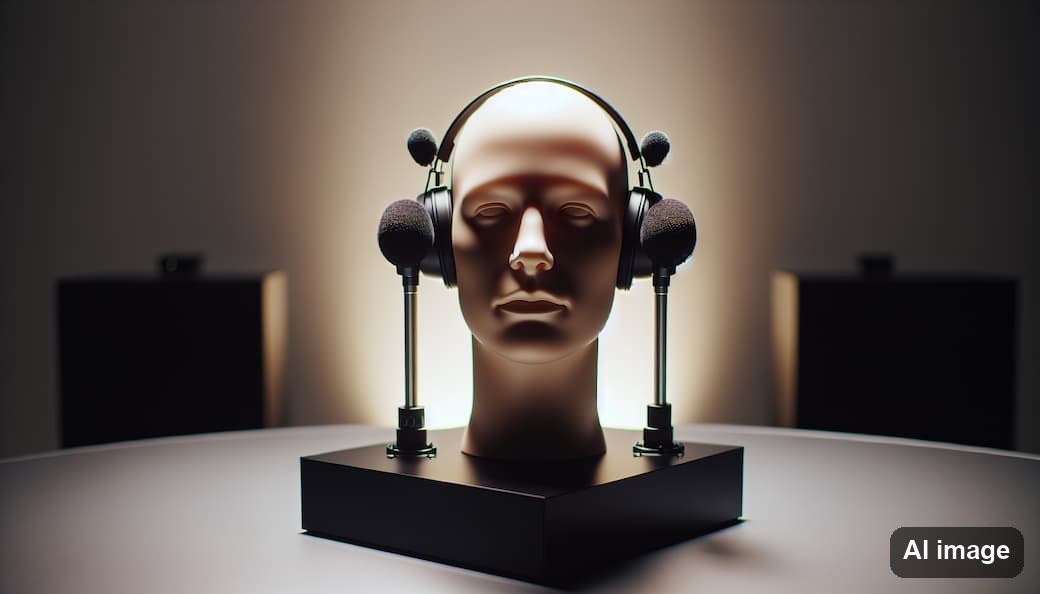
Dummy head recording. A binaural microphone built into a model head captures the filtering directly, no computation involved. The limitation is that the dummy head has a generic head size, so it works better for some people than others. Compare a stereo pair against a dummy head and some listeners find the difference enormous while others hear almost nothing. It genuinely depends on the person.
Individual measurement. Microphones in your own ear canals, a speaker moved through hundreds of positions in an anechoic chamber. Accurate, slow, and not something a consumer will ever do.
Photogrammetry. Photograph or scan your ears and derive a model. This is the route the consumer products have taken.
Who offers personalised HRTF
Apple was not first. Genelec built the first pipeline with Aural ID: you photograph and film your ears, send it in, and receive a 3D model as a SOFA file that plugins in your workstation can use. Embody IMMERSE targets games and the 5.1 sound most of them use, allows head tracking via webcam, ships presets for Logitech headsets and was integrated into Steinberg’s DAW for professionals. Dolby’s Personalized Rendering lets mixers work on spatial mixes over headphones with a personalised HRTF. THX licensed spatial and personalisation technology from VisiSonics. Sony’s headphone app asks for photos of both ears and optimises 360 Reality Audio for models such as the WH-1000XM4 and WF-1000XM4.
And the ancestors: Crystal River Engineering built the convolvotron in the nineties, an HRTF-based spatial audio system developed for NASA.
More detail in Personalized Spatial Audio.

Does personalisation actually help?
Less than the marketing implies. There is no universal HRTF that works equally well for everyone, so companies are researching dynamic and AI-based selection. But personalisation is still in development, and in ordinary listening situations many users cannot reliably tell a generic HRTF from a personalised one.
It gets worse across devices. Apple, Samsung and Ceva use different HRTF databases, so the same content can feel different depending on which phone and which earbuds you happen to be holding.
My picture for it is the search for the perfect shoe. All HRTF data so far is built from averages: engineers measured a lot of heads and ears and derived a model that comes close for as many people as possible, essentially a virtual dummy head microphone. Odds are good it works for you. If your head is unusual, it will not, because your physical ears deviate too far from the calculated numbers.

Practical settings
Choose closed or open headphones you already trust tonally. HRTF processing cannot repair a headphone with a wild frequency response, because the filter it applies assumes a reasonably neutral starting point.
Turn off everything else. Any additional widener, room simulation or “3D enhancement” in the chain fights the HRTF renderer. Two spatialisers stacked on top of each other produce a smeared image, not a better one.
Enable head tracking wherever the content is anchored to a screen. For film and 360° video it is the single biggest improvement available. For music it matters much less, because the mix was made for one listening position anyway.

Frequently asked questions
Should I enable HRTF?
For games, film and anything with a picture, yes. For stereo music, try it and compare at matched loudness, because a lot of the apparent improvement in these switches is simply extra level.
What is a head-related impulse response?
The same information in the time domain. The HRIR is what a click sounds like after passing your head and ears; the HRTF is its frequency-domain representation. Renderers convolve audio with the HRIR.
What is HRTF sound localization?
Placing a sound at a chosen direction by filtering it with the HRTF for that direction, so the listener’s brain reads the result as coming from there.
Why are HRTFs important in VR and gaming?
Because in VR the listener moves. Positions have to be recalculated continuously against head orientation, which is only possible with a filter model rather than a fixed mix. This is also why personalized spatial audio gets more attention in games than in music.
Does HRTF work over speakers?
Not directly. HRTF rendering assumes the left signal reaches only the left ear. Over speakers both ears hear both channels, which cancels the effect. Crosstalk cancellation attempts to fix this with a counter-phase signal, and it works in a narrow sweet spot.
Why does the dummy head recording impress some people and not others?
Because it has a generic head size. If your own head and ears are close to the model, the effect is dramatic. If they are not, you hear a wide stereo image and little else.
Back to the BlogLet’s talk about your project
Building something where the spatial image has to hold up on headphones, not just in the demo?
Get in touch →Martin Rieger, spatial audio engineer at VRTonung, describes the limit of personalisation here. Front and back are hard for human hearing to separate, and the main reason is the generic HRTF used at the rendering stage. Personalised 3D audio improves this but only approximates a fix. A slight turn of the head resolves it immediately.
Related Articles
Dynamic Head Tracking - Spatial Audio for 3D Surround Headphones
Head Tracked Spatial Audio vs Fixed: Mix with the Head-Locked Stereo
Ambisonic for Virtual Reality and 360° Soundfield
VRTonung learning - THE spatial audio course for immersive media
Apple VR headset - All Spatial Audio features from Vision pro